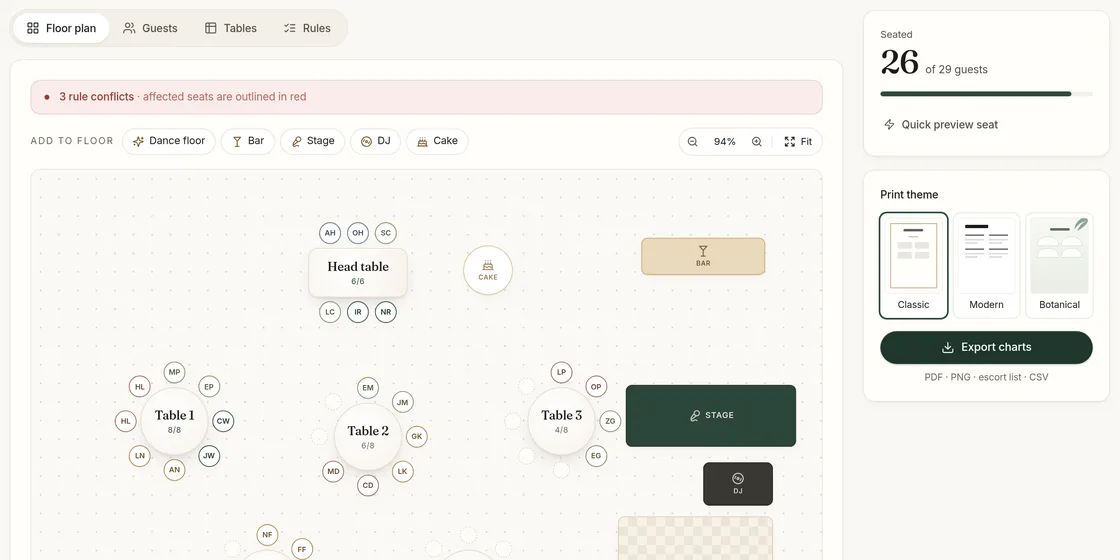
A wedding seating chart is one of the last big jobs before the day, and it tends to arrive at the worst moment: RSVPs are still trickling in, the venue wants final numbers, and every family has an opinion. A good seating chart maker should make that job smaller, not add another subscription to your list. This page explains what you can do in SeatFinch for free, where the free plan stops, and how to get from a raw guest list to a chart you can print.
What the free plan includes
Everything you need to plan your seating is free, with no time limit:
- Unlimited guests, tables and rules. Add every guest on your list, every table your venue offers, and as many seating rules as you need.
- An interactive floor plan. Place tables where they really stand in the room and drag guests between them.
- Auto-seating for up to 30 guests. Smaller weddings, rehearsal dinners and family dinners can be seated automatically without paying.
- CSV import. Paste or upload a guest list with name, household, tags and meal columns.
The paid step is a one-time unlock of $24 per event. It adds unlimited auto-seating and reshuffles for larger lists, the three print themes (Classic, Modern and Botanical), PDF and PNG exports, an escort-card list and a caterer CSV. Couples never need a subscription; there is a separate monthly plan only for planners who run many events.
How to make a wedding seating chart in five steps
- Collect the guest list. Export it from your RSVP spreadsheet or wedding website. Keep one row per person, and give couples and families the same household name so they stay together.
- Add your tables. Ask your venue how many tables you will have and how many chairs each one takes. Add round or rectangular tables with those capacities, and name them however you like — numbers, or names such as "Lavender".
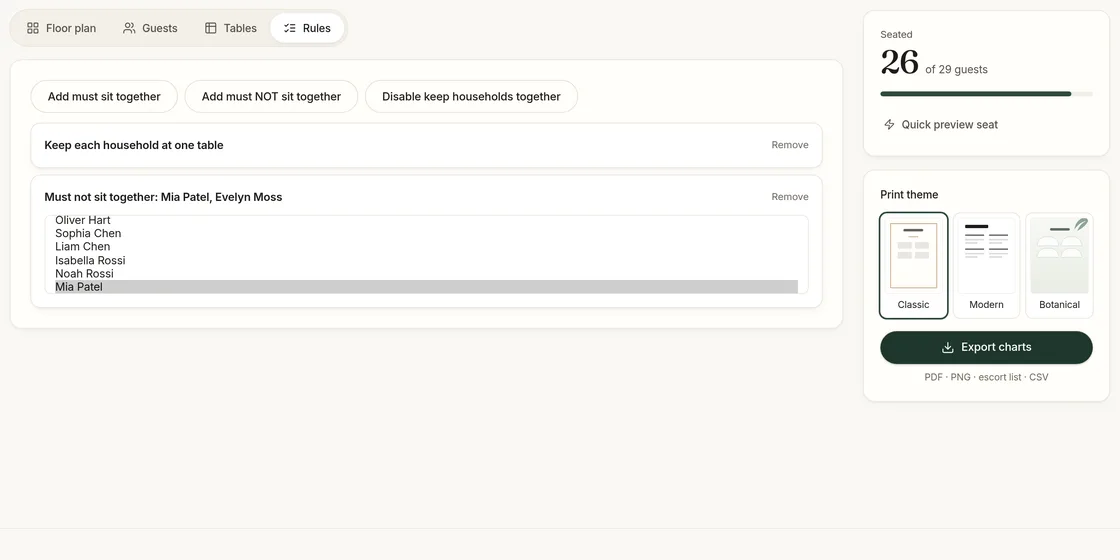
- Write your rules. Add "must sit together" for people who should share a table, "must not sit together" for people who shouldn’t, and keep the household rule on so families are not split.
- Auto-seat, then adjust. Press Auto-seat. SeatFinch fills every table without breaking a hard rule, then you drag individual guests to fine-tune. Reshuffle gives you a fresh arrangement if you want to compare.
- Print or share. Export the chart for the welcome sign, the escort list for place cards, and the table-by-table CSV for your caterer.
Try it with your own guest list — the first draft takes minutes.
Start planning freeWhy a seating chart maker beats a spreadsheet
Spreadsheets are fine for storing names. They are bad at the actual problem, which is a puzzle with constraints. When you move one guest in a spreadsheet, nothing tells you that a table is now over capacity, that you separated a couple, or that you just sat two people together who asked not to be. You find out when you read the whole sheet again.
A seating chart maker keeps those constraints in one place. In SeatFinch, a table won’t accept more guests than it has chairs, households are seated as a unit, and every rule is checked each time you auto-seat. If the rules you have written can’t all be satisfied — for example, three people who must sit together but a "must not" rule between two of them — the planner names the conflicting rules so you can decide which one gives way.
Tips for a calmer seating plan
Seat the hard cases first. Divorced parents, family tension, and guests who only know one person deserve your attention before anyone else. Write those as rules and let the auto-seater work around them.
Leave one or two seats free. Late RSVPs and plus-ones confirmed at the last minute are normal. A table with a spare chair is easier to work with than a table that needs re-planning.
Mix, but don’t scatter. Guests enjoy meeting new people when they have at least one familiar face at the table. For small friend groups that really should share a table, add a "must sit together" rule.
Think about the room. Older relatives usually prefer tables away from the speakers and closer to the exits and restrooms. Put the floor plan in roughly the right shape so you can see who is near the dance floor.
Lock it in late, not early. The best time to finalise a seating chart is after the RSVP deadline and about one to two weeks before the wedding. Doing it earlier means doing it twice.
Printing your chart
Once the plan is settled, the unlocked exports produce a seating chart you can send to a print shop or print at home, in one of three themes that match common wedding stationery styles. The escort list sorts every guest alphabetically with their table, which is the format most couples use for an escort-card display. The caterer CSV lists each table with its guests and meal choices, so the kitchen knows exactly where every vegetarian plate is going.
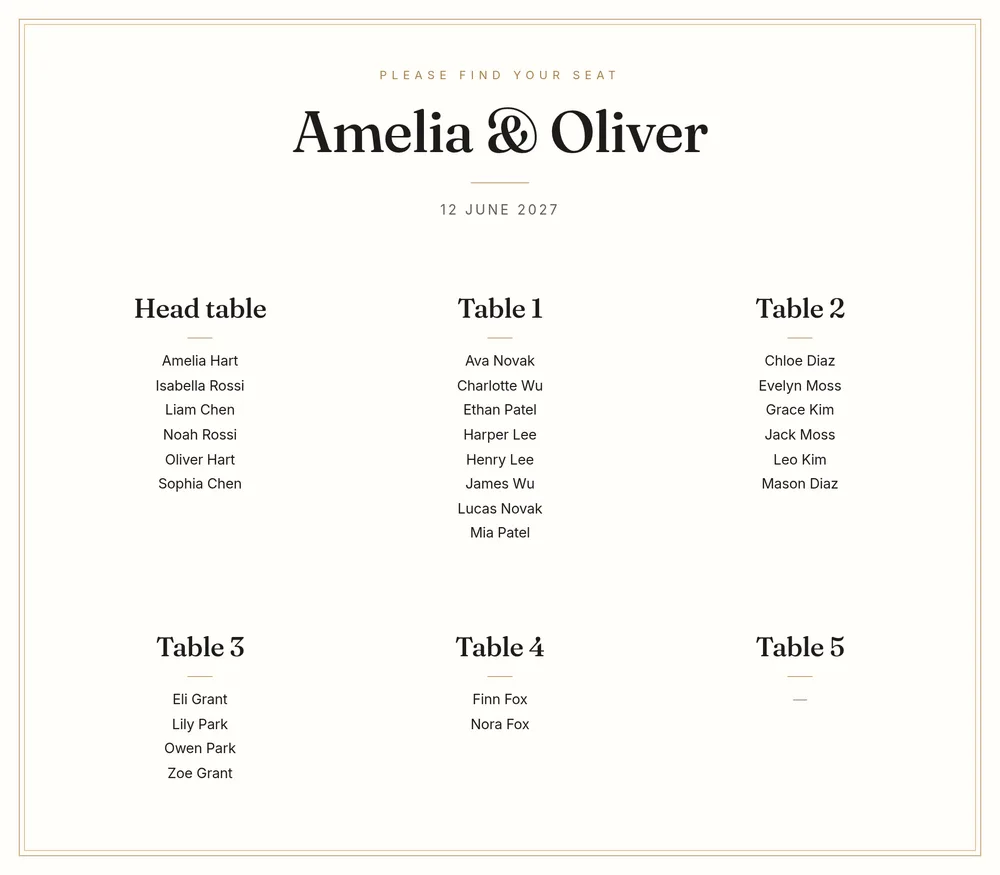
Read more about the print options on the printable seating chart page, or see how the auto-seater makes its decisions on the auto seating chart generator page.
Related guides: how to make a wedding seating chart, seating etiquette and how SeatFinch compares with other tools.
Last updated 2026-11-02