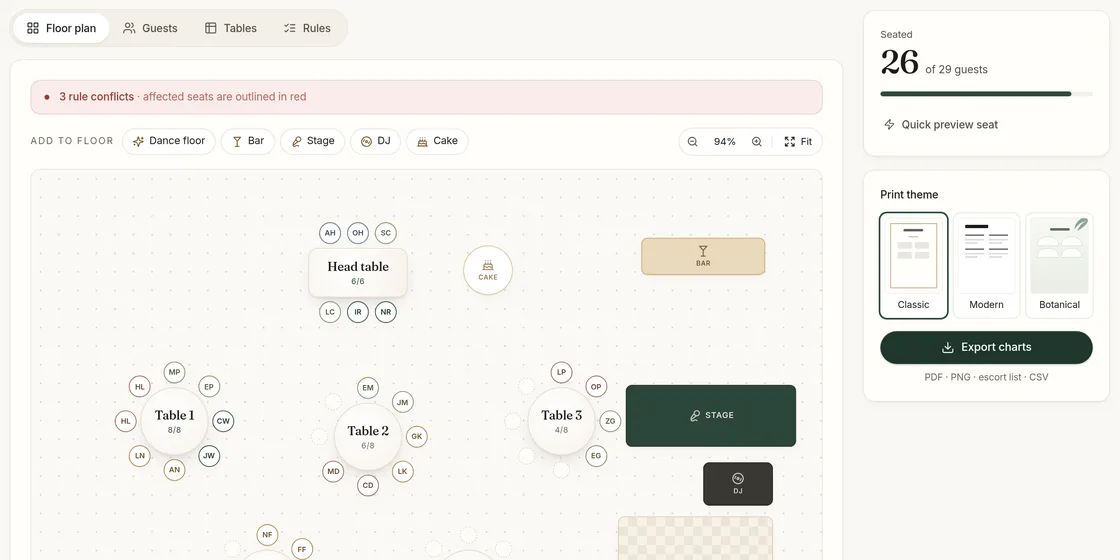
Seating a room by hand is a constraint puzzle. Fifty guests at six tables already has more possible arrangements than anyone could check, and every rule you add — keep this family together, keep these two apart — removes some of them. People are good at knowing what the rules are. Software is good at finding an arrangement that satisfies all of them. An auto seating chart generator splits the job that way: you decide, it searches.
What the generator takes into account
SeatFinch’s auto-seater works from four kinds of information:
| Input | What it means | How it is treated |
|---|---|---|
| Table capacity | How many chairs each table has | Never exceeded |
| Households | Couples and families who arrived together | Seated at one table when the household rule is on |
| Must sit together | People you want at the same table | Hard rule — always kept |
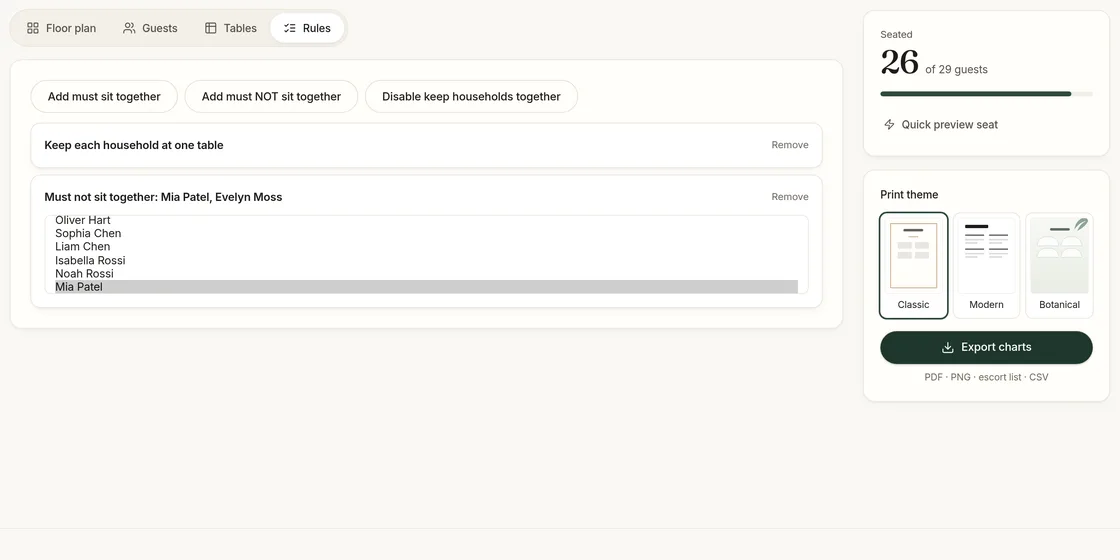
| Must not sit together | People who should not share a table | Hard rule — always kept |
Hard rules are treated as promises. The generator will not return a plan that breaks one.
How auto-seating works, step by step
- Group. Guests in the same household, and guests linked by "must sit together", are merged into a single group that has to fit at one table.
- Check feasibility. If a group is bigger than your largest table, or a "must not" rule falls inside a group that must stay together, there is no valid plan. SeatFinch stops here and names the rules involved.
- Place. Groups are placed at tables, largest first, so that every table stays within capacity and no "must not" pair ends up together.
- Show the result. The floor plan updates, and the sidebar shows how many guests are seated out of the total.
Every run is reproducible: the same list and the same rules give the same plan. When you want to see an alternative, press Reshuffle for a different arrangement that still keeps every rule.
Seat your guest list automatically — then drag anyone you want to move.
Start planning freeWhen rules conflict
The most frustrating thing a seating tool can do is silently ignore one of your rules. If you ask for something impossible — say, a family of eleven at tables of ten, or "Sam must sit with Alex", "Alex must sit with Jordan" and "Sam must not sit with Jordan" — SeatFinch tells you which rules clash. You then choose what to change: split the family across two neighbouring tables, raise a table’s capacity, or drop one of the rules.
Getting a good result
Write only the rules that matter. Every rule narrows the search. Ten essential rules produce a better chart than forty nice-to-haves, because the generator has more freedom to balance the rest.
Use households rather than many "together" rules. A household is the simplest way to keep a couple or family together. Give them the same household name in your guest list and leave the household rule on.
Give yourself slack. If your tables are exactly full, any rule can make the plan impossible. One or two empty seats across the room makes a big difference.
Treat the result as a first draft. Auto-seating gets you to a valid plan in moments. You still know things the software doesn’t — who will talk all night, who needs to be near the exit — so drag guests to adjust afterwards. A table won’t accept a guest once it is full; if you make big manual changes, run Auto-seat again to re-check every rule.
Limits on the free plan
Auto-seating is free for events with up to 30 guests, which covers most rehearsal dinners, engagement dinners and small weddings. For a larger list, the one-time event unlock ($24) removes the limit and includes unlimited reshuffles, along with the print-ready exports. You can always place guests manually for free, at any size.
Ready to prepare your list? See how to format it on the seating chart from a guest list page.
Related guides: seating divorced parents, plus-ones and single guests and corporate event seating.
Last updated 2026-11-02